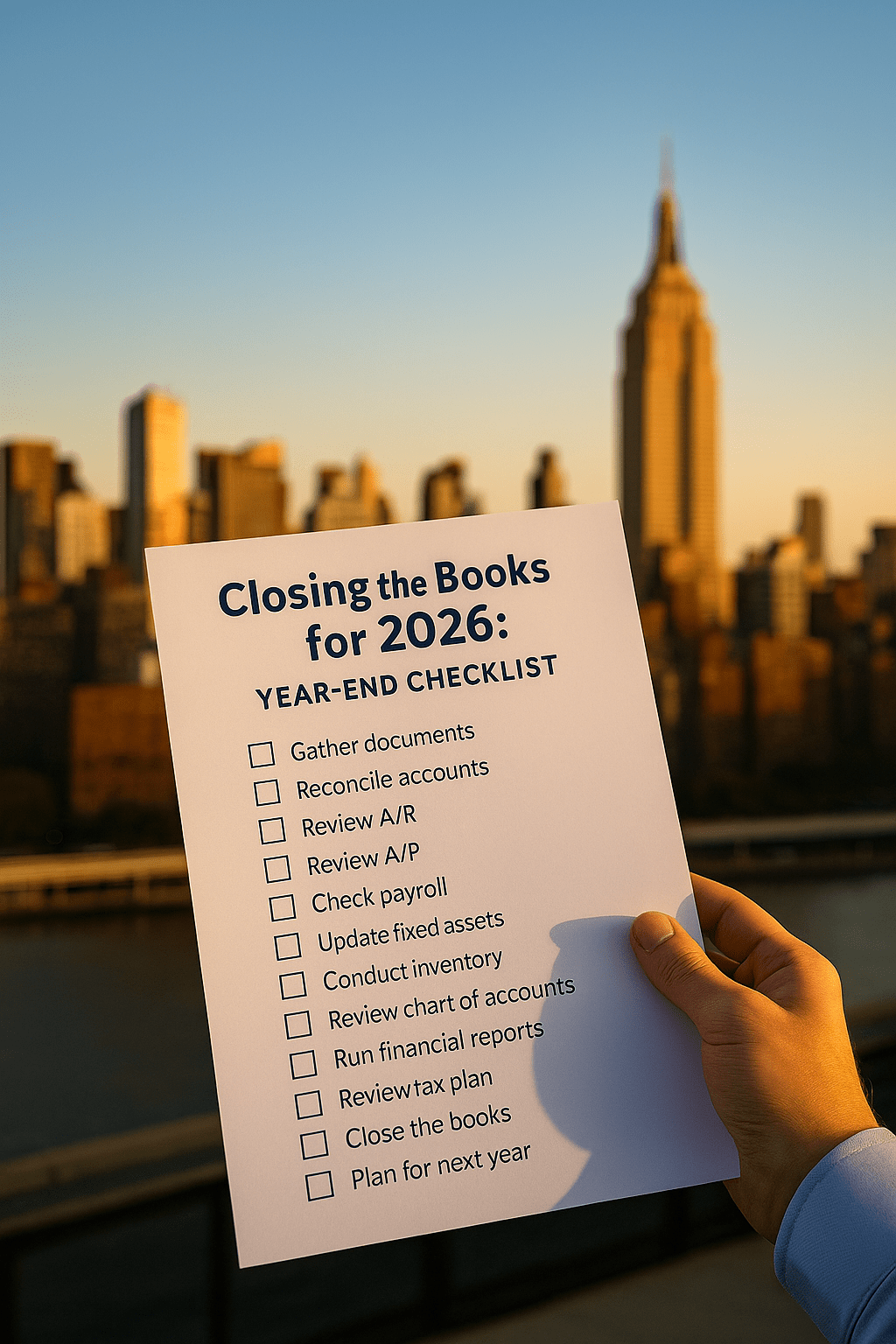
The end of the year is one of the busiest times for business owners and nonprofit leaders. Between wrapping up client work, planning for the new year, and managing holidays, it’s easy to let your finances slide. But closing your books properly is critical for compliance, accuracy, and strategic decision-making.
Think of year-end close as your financial reset button: you’re finalizing 2026, ensuring accuracy, and preparing for a strong start in 2027. Done right, it reduces tax-time stress, improves cash flow planning, and keeps your business or nonprofit audit-ready.
This step-by-step year-end checklist will guide you through the process of closing your books for 2026 — the right way.
Step 1: Gather and Organize Documentation
Year-end starts with paperwork (digital or physical). Make sure you collect:
Receipts and invoices (including recurring expenses and subscriptions).
Bank and credit card statements for all accounts.
Loan and lease agreements.
Payroll reports.
1099s and W-9s for contractors.
Donation/grant records (for nonprofits).
📌 Pro Tip: Store everything digitally in one folder labeled “2026 Year-End” to simplify tax prep and future audits.
Step 2: Reconcile All Accounts
Before you can trust your numbers, they need to match your bank.
Reconcile checking, savings, and petty cash.
Reconcile credit cards and lines of credit.
Reconcile loan balances against lender statements.
If anything doesn’t line up, resolve it before moving forward.
📌 Pro Tip: Reconcile by month throughout the year to avoid a mountain of catch-up work in December.
Step 3: Review Accounts Receivable (AR)
Unpaid invoices at year-end affect both cash flow and taxes.
Run an aging report to see what’s overdue.
Follow up with customers who owe money.
Consider writing off bad debts if collection is unlikely.
📌 Pro Tip: If you’re on an accrual basis, unpaid invoices are still taxable income. Have a plan for collections.
Step 4: Review Accounts Payable (AP)
Make sure vendor bills are recorded and up to date.
Enter all outstanding bills before year-end.
Verify vendor information (EINs, addresses).
Pay invoices that need to be cleared in 2026.
📌 Pro Tip: Some expenses can be prepaid before December 31 to lower taxable income (consult your CPA first).
Step 5: Check Payroll and Contractor Compliance
Payroll mistakes are a major IRS red flag.
Verify all employee records are correct (names, addresses, SSNs).
Confirm payroll taxes have been filed and paid.
Review contractor payments and prepare 1099s for those earning $600+.
📌 Pro Tip: Send out W-9 forms now to any contractors missing info so you’re not scrambling in January.
Step 6: Update Fixed Assets & Depreciation
Record new purchases of equipment, vehicles, or property.
Remove old assets that were sold or disposed of in 2026.
Calculate depreciation for the year.
📌 Pro Tip: Section 179 deductions can allow you to expense large purchases — but they must be in service before year-end.
Step 7: Conduct a Physical Inventory (If Applicable)
If you sell products, do a year-end count of inventory.
Compare physical count against book inventory.
Investigate discrepancies (shrinkage, loss, theft).
Adjust your books accordingly.
📌 Pro Tip: Accurate inventory counts directly affect cost of goods sold (COGS) and taxable income.
Step 8: Review the Chart of Accounts
Clean books make reports easier to read.
Merge duplicate categories.
Close accounts no longer in use.
Align categories with tax reporting needs.
📌 Pro Tip: A simplified chart makes financial reports more useful to boards, lenders, and owners.
Step 9: Run Financial Reports
With reconciliations and adjustments done, generate these reports for 2026:
Profit & Loss (P&L) – shows revenue and expenses.
Balance Sheet – shows assets, liabilities, and equity.
Cash Flow Statement – shows how money moved in and out.
📌 Pro Tip: Compare year-over-year to identify growth trends and problem areas.
Step 10: Review for Tax Planning Opportunities
Don’t wait until April — review taxes now.
Work with your CPA or bookkeeper to estimate 2026 tax liability.
Explore deductions and credits available for this year.
Consider charitable donations, retirement contributions, or year-end purchases that may reduce taxes.
📌 Pro Tip: Tax planning is most effective before December 31, not after.
Step 11: Close the Books in Your Software
Once everything is reviewed and finalized:
“Close” the books in QuickBooks, Xero, or your software.
Lock 2026 so no transactions are accidentally added or changed.
Save a backup of reports and reconciliations for your records.
📌 Pro Tip: Provide copies of finalized reports to your CPA, board, or stakeholders.
Step 12: Plan for the Year Ahead
Closing your books is also about looking forward.
Use 2026 data to set a realistic budget for 2027.
Identify growth opportunities (new revenue streams, cutting waste).
Establish KPIs to track monthly in the new year.
📌 Pro Tip: Schedule a financial review meeting in January to set goals with fresh numbers.
Final Thoughts
Closing the books doesn’t have to mean year-end chaos. With the right checklist and proactive systems, you can wrap up 2026 with clarity, accuracy, and confidence.
At Synergy Bookkeeping, we specialize in year-end support for small businesses and nonprofits — from reconciliations to tax-ready reporting. With our help, you can focus on running your organization, not scrambling over spreadsheets.
👉 Ready to make year-end stress-free? Book your free consultation today.